
CRM Admin Portal / Back Office
Manage users, finance, trading, partners and operations from one central console.
Admin Control
Control Your
Daily Operations
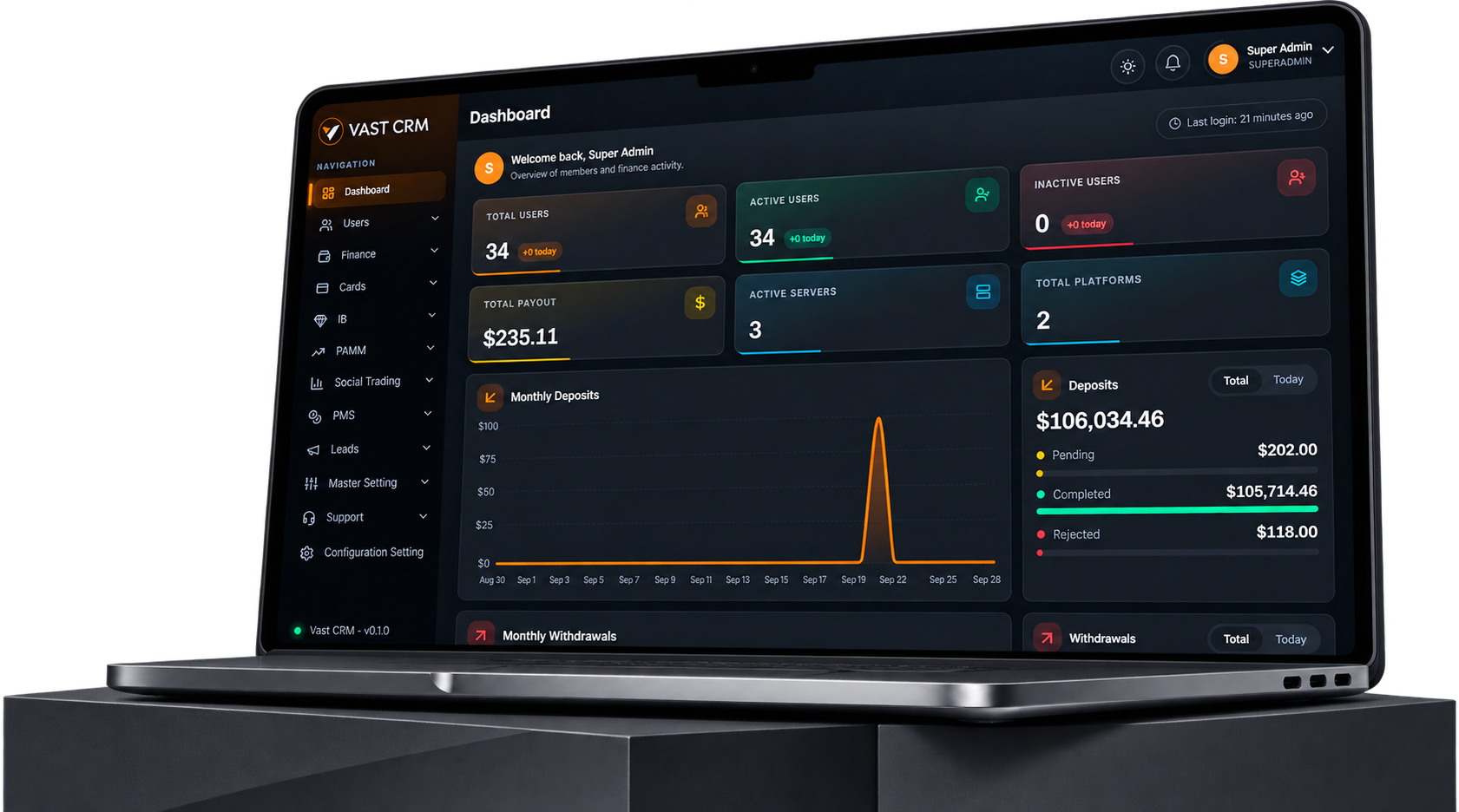
Manage users, accounts, finance, KYC, and trading activity from one admin portal built for brokerage operations.
-
User & Account Control
Manage members, account details, profiles and status from the admin portal. Use filters to find users faster, review account data, update balances and export records when needed.
-
Trading Account Management
View live and demo accounts with balance, equity, margin, credit and floating P/L details. Track account status, server, package and related client information in one place.
-
KYC & Profile Review
Check KYC and profile status from the user record. Review pending, approved and rejected cases, keep verification data linked to the client and support manual or automated checks.
-
Finance Operations
Manage deposits, withdrawals and transfers with clear status tracking. Review payment details, wallet activity and transaction records across the finance section.
-
Partner & Trading Modules
Manage IB activity and access integrated PAMM and Social Trading modules from the same admin environment. Review users, commissions, requests, trading activity and related records.
-
Logs, Reports & Export
Track admin activity with logs that include user, IP address, device details and time. Review operational data through reports and export records for further checks or internal use.
Built for Daily Control
From Activity to Action
See what needs attention, check the details behind it and take action without moving between separate admin systems.
-
See What Needs Attention
Use dashboard figures to spot pending requests, active users, KYC cases, finance activity and other key items that need review.
-
Check Before Action
Open the related user, account or transaction details before making a change. Keep the right information in view when an admin action is needed.
-
Keep Finance Moving
Review deposit, withdrawal and transfer requests with their amounts, status and transaction details so finance teams can process daily work clearly.
-
Follow Business Activity
Track user growth, IB activity, commissions, trading accounts and platform activity to understand what is happening across the brokerage.
-
Keep Teams Aligned
Use role-based access and admin permissions to give teams the right level of access while keeping important operational data within the portal.
-
Review What Happened
Check activity logs, reports and transaction history after an action. Export records when your team needs data for review or internal reporting.
Admin Portal
Everything Your Team Needs, Ready in The Admin Portal
Manage users, accounts, finance, KYC, partners and platform activity through a single admin system built for daily brokerage operations.
- User and account management
- Finance and wallet tracking
- KYC and profile review
- Logs, reports and data export
Admin Portal FAQ
Questions About CRM Admin
Quick answers about users, accounts, finance, security, reports and daily admin work.
-
You can manage users, trading accounts, KYC, finance, IB activity, PAMM, Social Trading, leads, support and system settings. The dashboard also gives a quick view of key user, finance and operational data.
-
Yes. The Admin Portal supports roles and permissions so access can be set for different admin users. This helps teams control which areas and actions each user can access.
-
Admin access can use password, OTP, Google Authentication and a 4-digit PIN. Admin activity can also be reviewed through logs with details such as IP address, username, user agent and time.
-
Yes. Admins can review deposits, withdrawals and transfers with their status and related details. Trading accounts also show balance, equity, margin, credit, floating P/L and balance activity.
-
Yes. The portal provides export options for several records, including member details, trading account data and admin logs. This makes it easier to use CRM data for internal checks and reports.