
Trader’s Room
Give clients one place to manage accounts, trading, funds and their brokerage activity.
Inside the Trader’s Room
Everything Clients Need,
in One Place
Give clients a clear view of their accounts, funds, verification and trading activity through one simple portal.
-
See Every Account
Clients can view their live, demo, PAMM and Social Trading accounts from the dashboard. Account balance and key account details stay easy to check.
-
Manage Trading Accounts
View balance, equity, margin, free margin, leverage, credit and floating P/L. Clients can also check account details, transactions and closed trades.
-
Deposit & Withdraw
Clients can fund accounts through available payment methods such as bank, UPI, payment link, crypto and crypto gateway. Withdrawal requests and their status stay visible in the portal.
-
Keep KYC Up to Date
Clients can submit personal details, identity proof, address proof and photo for verification. Their document list and KYC status remain available for review.
-
Track Trading Activity
Review positions, closed trades, trade history and account performance with key details such as symbol, volume, price and profit or loss.
-
Follow Wallet Activity
Check wallet balance, deposits, withdrawals, credits, debits and transaction history. Clients can review amounts, status, dates and related transaction details.
Client Experience
A Better Trader Experience, Built In
Give clients a simple workspace to view their data, use trading tools and stay connected with your brokerage.
-
Smart Dashboard
Give clients a clear view of key account data, trading figures and activity from one dashboard. Keep important information easy to find.
-
Data & Reports
Let clients review portfolio data, equity, account activity and transaction history. Detailed reports help them follow their trading journey.
-
Connected Platforms
Keep the client portal connected with supported trading systems. Clients can access their trading environment through the setup provided by the brokerage.
-
Trading Convenience
Give clients useful trading tools such as advanced charts and quick order actions. Make common trading tasks easier to handle.
-
Built-In Support
Connect clients with support through the trader portal. Let them raise service requests and stay connected with the brokerage team when help is needed.
-
Self-Service Access
Give clients direct access to common account and profile actions. Reduce the need for manual help while keeping the client experience simple.
Built for Your Brokerage
A Trader’s Room That Fits Your Brokerage
Create a client portal that matches your brokerage setup, connects with your trading systems and gives clients a clear place to manage their daily activity.
- Custom client portal experience
- Trading platform connectivity
- Flexible payment setup
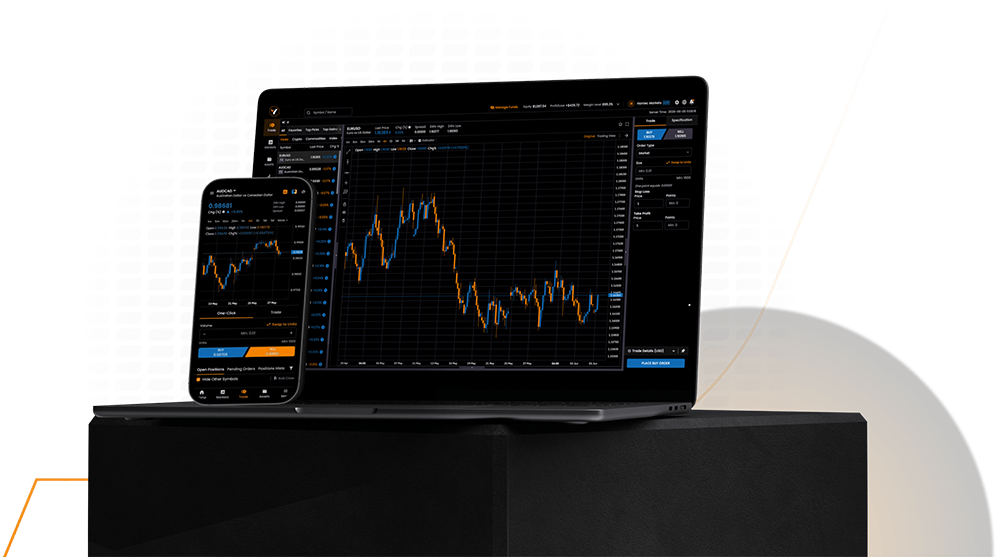
- Desktop and mobile access
Trader’s Room FAQ
Everything About the Client Portal
Simple answers about accounts, payments, trading, KYC and the client experience.
-
Clients can manage their trading accounts, view balances, check trading activity, submit deposits and withdrawals, complete KYC, review wallet activity and access their available account services from one portal.
-
The portal can show Live, Demo, PAMM and Social Trading accounts. Clients can view their account details and related activity based on the modules enabled by the brokerage.
-
Yes. Clients can use the payment methods enabled by the brokerage for deposits and submit withdrawal requests from the portal. They can also view transaction amounts, status and related details.
-
Yes. Clients can add their personal information and submit identity proof, address proof and photo. They can also view the status of their submitted documents.
-
Yes. Clients can review account activity, closed trades, transactions and other available records. Trading details can include symbols, volume, prices, dates and profit or loss.
-
Yes. VAST CRM supports integrations with trading platforms such as MT5, cTrader, Match-Trader, Leverate, Vertex FX and Piptrex. The available setup depends on the brokerage’s chosen integrations.